Home › UAE payroll & WPS
UAE payroll with WPS, C3 and Lulu – as easy as your Excel sheet
For labour supply, contracting, facilities, trading and any company with site workers.
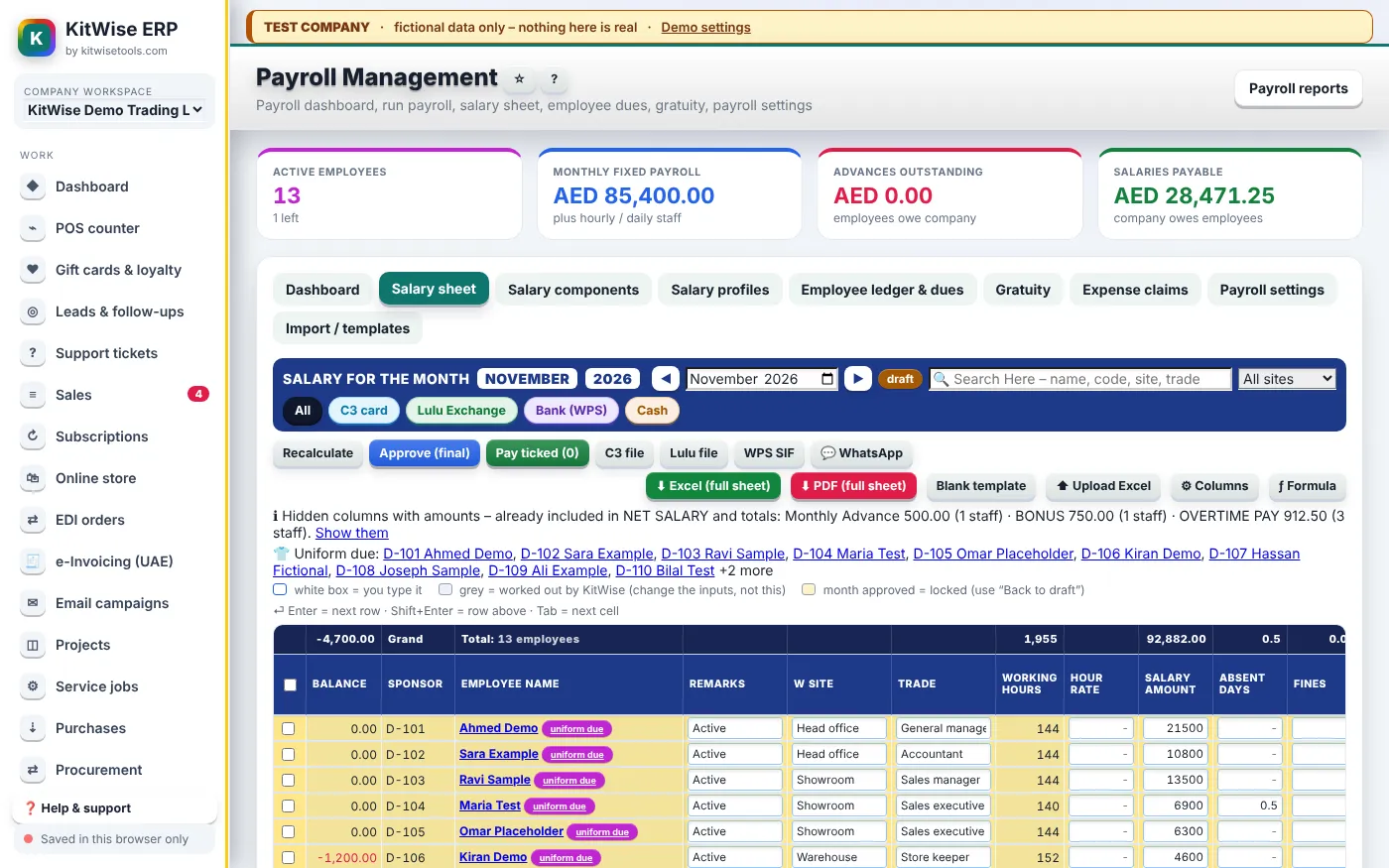
Month end in five steps
- Attendance – mark present or absent, enter daily hours, or import from Excel.
- Review – absences, deductions, allowances and advance recovery for each employee in one row.
- Approve – salaries are posted to each employee's account.
- Pay – select employees and create WPS, C3 card or Lulu Exchange files.
- Notify – send a WhatsApp salary message in English, Arabic or Urdu; the employee app updates automatically.
Built-in UAE rules
- WPS salary files with employer and employee IDs, bank routing codes and IBAN checks
- End-of-service gratuity (21 days for the first 5 years, 30 days after)
- Visa, Emirates ID and passport expiry alerts
- Pro-rata salary for joining and leaving mid-month
- Status: active, on leave, visa cancelled, left
Payroll questions
How do I pay salaries through C3 cards and Lulu Exchange from one sheet?
Choose each employee's payment method – C3 card, Lulu Exchange, bank or cash. After approving the month, create one file per channel; each file contains only the employees paid that way. A WPS salary file is also available.
Can fines be added automatically for absent days?
KitWise suggests a deduction based on the month's absent days. Your accountant can apply it with one click or have it applied automatically.
How is uniform handled?
Set how often uniform is issued (for example every six months) and any charge. Employees who are due are highlighted on the salary sheet, and the charge can be deducted automatically.